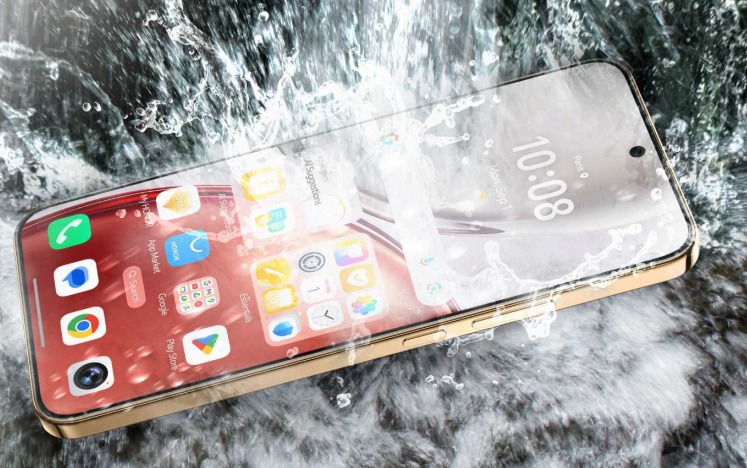
Many people spend long hours looking at their phones for work, communication and entertainment, and this often leads to eye strain. Symptoms such as dryness, fatigue or mild headaches appear when the eyes work too hard to focus on bright, detailed screens. Reducing eye strain requires a mix of better habits, smarter display settings and awareness of how lighting affects comfort. Small adjustments can make a noticeable difference in how relaxed your eyes feel throughout the day. Users who pay attention to display comfort also look for phones with thoughtful screen optimizations, sometimes checking factors like value and usability—similar to how someone might compare HONOR Magic 8 Lite price when thinking about an upgrade that supports everyday comfort.
Why Eye Strain Happens and How Screens Contribute to It
How Brightness Levels Affect Eye Comfort
Brightness that is too high or too low forces the eyes to work harder. When a screen shines brighter than the surrounding environment, the eyes must constantly adjust to balance the contrast. On the other hand, insufficient brightness makes text harder to read, causing users to squint or lean closer. Adjusting brightness manually or using adaptive options helps maintain a balanced level that feels natural. People often overlook brightness until discomfort appears, but matching the screen to ambient light reduces strain significantly. This simple adjustment supports better focus during long sessions of reading or browsing.
Why Viewing Distance and Angles Matter
Holding a phone too close narrows the focal range of the eyes and increases muscular effort. A comfortable viewing distance is typically around 30 to 40 centimeters, allowing the eyes to maintain a relaxed posture. Angles also influence comfort; looking down too sharply can strain both eyes and neck muscles. Maintaining a neutral, forward-facing angle reduces fatigue during extended use. Even slight adjustments improve comfort, making long conversations, multitasking or reading sessions easier on the eyes. Users who develop awareness of posture and viewing distance often notice immediate relief.
How Screen Detail and Text Clarity Influence Strain
High-resolution screens make text and images look sharper, but poorly adjusted text sizes or contrast settings still cause strain. When text appears too small, the eyes must tighten focus repeatedly. Increasing font size, adjusting color contrast or enabling reading modes helps the eyes process information more smoothly. Some phones offer dedicated comfort settings that soften edges or reduce visual noise. These tools help users customize reading experiences for different environments—whether relaxing at home, working on the go or browsing in low light.
Practical Adjustments That Make Screens Easier on the Eyes
Why Blue Light Reduction Helps During Long Sessions
Blue light is naturally present in display illumination, but prolonged exposure—especially in dim environments—can cause discomfort. Activating a blue light filter, night mode or warm-color reading mode reduces harsh tones and creates a softer viewing experience. These modes are particularly useful in the evening when eyes become more sensitive to brightness. Reducing blue light does not eliminate eye strain entirely but offers meaningful relief for people who use their phones frequently for reading or social media. Many users rely on this feature as part of their daily routine.
How Taking Breaks Supports Healthier Viewing
One of the most effective habits for reducing eye strain is taking regular breaks. The 20-20-20 rule—looking at something 20 feet away for 20 seconds every 20 minutes—allows the eyes to relax after sustained focus. Short breaks help reset the muscles responsible for near vision, which prevents fatigue from building throughout the day. Even pausing for a moment to blink more fully or shift focus reduces dryness and tension. This practice is practical, easy to remember and works across different viewing environments such as commuting, studying or working.
How Ambient Lighting Improves Overall Comfort
Lighting conditions around you influence how your eyes perceive the screen. Using phones in dark rooms increases contrast between the screen and surroundings, which makes the eyes work harder. Soft ambient lighting reduces this contrast and helps maintain visual comfort. During daytime use, avoiding glare from windows or reflective surfaces also makes a difference. Adjusting environment and screen together creates a smooth, comfortable balance. People who make these changes often find that eye strain decreases even without altering their phone usage duration.
Conclusion
Reducing eye strain from phone screens requires a combination of smart settings, healthy habits and awareness of personal comfort. Balancing screen brightness with the environment prevents unnecessary stress on the eyes, while maintaining proper viewing distance and angles reduces muscular tension. Adjusting font sizes and contrast makes reading clearer, and using blue light filters provides relief during nighttime or extended sessions. Breaks and better ambient lighting further support long-term comfort. With these practices, users can continue relying on their phones for communication, entertainment and productivity without sacrificing eye health. Making small adjustments today builds better visual comfort for every moment spent on a screen.