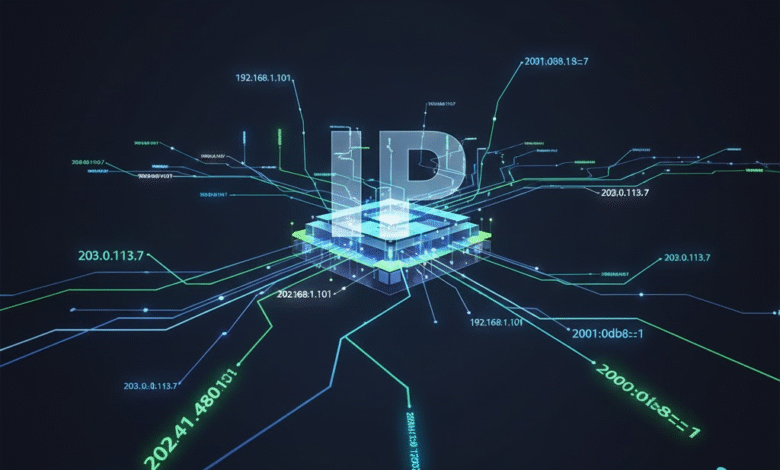
An IP address is a very important part of the internet. Every device that connects to the internet has an IP address. This includes mobile phones, computers, laptops, tablets, and even smart TVs. Without an IP address, a device cannot send or receive data online. In simple words, an IP address helps devices find each other on the internet.
What Is an IP Address?
IP stands for Internet Protocol. An IP address is a unique number given to your device when you connect to the internet. It works like a home address. Just like a delivery person needs your home address to deliver a package, the internet needs your IP address to send data to your device.
An IP address usually looks like a group of numbers, such as 192.168.1.1. These numbers help identify your device and your network.
Types of IP Addresses
There are two main types of IP addresses: IPv4 and IPv6.
IPv4 is the older version and is still widely used today. It uses numbers separated by dots. IPv6 is newer and was created because the internet needed more IP addresses. IPv6 uses both numbers and letters and is much longer.
There are also public and private IP addresses. A public IP address is visible on the internet. It is given by your internet service provider. A private IP address is used inside your home or office network and is not visible to the public.
Why IP Addresses Matter
IP addresses are important because they allow communication between devices. When you open a website, your device sends a request using your IP address. The website then sends data back to your IP address. This happens in seconds and makes browsing fast and smooth.
IP addresses also help with security. Websites can block harmful users by blocking their IP addresses. Companies use IP addresses to detect suspicious activity and protect their systems.
How to Check Your IP Address
Many people want to know their IP address for different reasons. Some want it for troubleshooting internet problems. Others need it for online security or network settings.
If you want to easily find your IP address, you can use a simple online tool like check my ip. This type of tool shows your IP address in seconds without any technical steps. It is very useful for beginners and professionals.
IP Address and Online Privacy
Your IP address can give basic information about your location, such as your country or city. Because of this, privacy is important. Hackers and trackers may try to use IP addresses to collect data.
To protect privacy, many people use VPNs (Virtual Private Networks). A VPN hides your real IP address and shows a different one. This makes browsing safer and more private.
Websites also use IP addresses to show local content. For example, a website may show different language options or ads based on your IP location.
Static vs Dynamic IP Addresses
A static IP address does not change. It stays the same every time you connect to the internet. Businesses often use static IPs for servers and hosting.
A dynamic IP address changes from time to time. Most home users have dynamic IP addresses. Internet providers do this to manage their network easily.
Both types have their own benefits, depending on how they are used.
Common Uses of IP Addresses
IP addresses are used in many daily online activities. They help send emails, load websites, stream videos, and play online games. Network admins use IP addresses to manage devices and fix network issues.
Even simple tasks like logging into a website depend on IP addresses working correctly in the background.
The Future of IP Addresses
As more devices connect to the internet, IP addresses will become even more important. Smart homes, smart cars, and IoT devices all need IP addresses. IPv6 will play a big role in the future because it provides a huge number of new addresses.
Understanding IP addresses is useful for anyone who uses the internet, even if you are not a technical person.